
Reviews
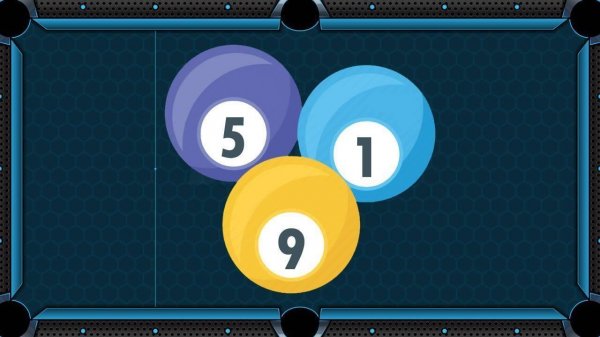
Pool Table Precision stands out for its reliable physics and straightforward interface. The shot mechanics feel natural, and the AI opponent provides a fair challenge without being punishing. The lack of ads or interruptions keeps the focus on the game. It works well on any device, making it a solid choice for quick matches or longer practice sessions. The game does not try to be flashy, but it delivers exactly what a billiards fan would want: a functional, enjoyable simulation.
Description
Core Gameplay Loop
Pool Table Precision recreates the structure of a standard eight-ball match. Players receive either striped or solid balls and must clear their set before sinking the black ball. Each turn begins with assessing the table layout. The cue ball starts behind the head string after a break shot, and players must plan their approach based on which balls are accessible. Pocketing a ball allows another turn, while a miss or foul passes control to the computer opponent. This alternation creates a rhythm where each shot carries consequences for the next move.
Physics and Shot Mechanics
The game simulates realistic ball movement, including friction, spin, and collision angles. When the cue stick strikes the cue ball, the point of contact determines the spin applied. Hitting above center produces topspin, below gives backspin, and side contact adds English. These factors affect how the cue ball behaves after hitting the target ball or cushion. Players control power by dragging backward before releasing, which influences how far balls travel. The physics engine ensures that shots behave consistently, rewarding practice and careful adjustment.
Controls and Accessibility
Mouse or touch input handles all actions. Clicking on the table sets the aim direction, then dragging backward sets the power level. A visual indicator shows the intended shot path and power. The interface remains clean, with no clutter or distracting elements. The game runs smoothly on desktop browsers and mobile devices, adapting to different screen sizes. No installation or account creation is needed, making it easy to start a match in seconds.
Opponent AI and Challenge
The computer opponent plays at a consistent skill level, making reasonable shots without being overly difficult. It evaluates the table and attempts to pocket balls when possible, but it also makes occasional mistakes, giving human players opportunities to recover. This design keeps matches engaging without feeling unfair. Players who make strategic errors, such as leaving the cue ball in a bad position, may find the opponent capitalizing on those mistakes. The AI encourages thoughtful shot selection rather than reckless attempts.
Skill Development Over Time
Regular play helps improve hand-eye coordination and spatial reasoning. Beginners learn to judge angles and power, while more experienced players can experiment with spin and combination shots. The game does not include a tutorial, but the straightforward controls allow players to learn by doing. Each match offers a fresh layout, so no two games play exactly the same. This variety supports gradual improvement without repetitive drills.




Comments
Sign in to comment
You must be logged in before posting a review or rating.
No account? Create one
No comments yet. Be the first to comment!