
Reviews
Prado Driving Simulator Arcade delivers a surprisingly detailed parking and driving experience. The variety of modes keeps gameplay fresh, and the car customization options are extensive. The controls are responsive, making it easy to practice precision maneuvers. The career mode offers plenty of challenges, and multiplayer adds replay value. It's a solid choice for driving enthusiasts.
Description
Game Introduction
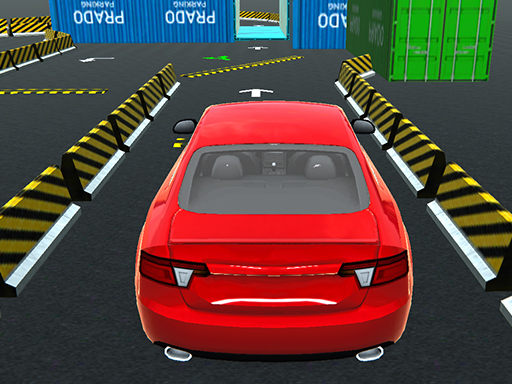
Prado Driving Simulator Arcade is a mobile game that provides a realistic driving and parking experience. The core objective is to help players practice and improve their parking skills through a variety of scenarios. Players can drive through open environments and enjoy detailed car customization. The game focuses on precision and control, making it suitable for players who want to enhance their real-world driving abilities in a safe, family-friendly setting. With a mix of adventure and racing elements, this simulator offers engaging challenges for both casual and dedicated driving enthusiasts. The game includes several modes that test different aspects of driving, from parking precision to obeying traffic rules.
How to Play
Players choose from several game modes to test their driving skills. In Parking mode, the goal is to park the car at a designated spot without hitting obstacles, all within a time limit. Slalom mode requires driving through gates in the correct direction without knocking them down. Night mode challenges players to drive with headlights on in the dark. Drift mode transforms the car into a drift vehicle, and players must earn a required score within the time limit. Traffic mode follows real road rules, and running a red light restarts the level. Players can use the horn and blinkers for added realism. The controls are responsive, and the game provides clear feedback to help players improve their driving techniques.
Game Features
The game includes over ten legendary cars, such as the E30, Civic, Golf, and Porsche, each with authentic exhaust sounds. It features a decal painting system and options for rims, spoilers, paint, glass color, license plates, suspension, and window lettering. More than 100 career modes provide a wide variety of challenges, and a multiplayer mode allows players to play with friends. The controls are responsive, and the horn and blinker functions add to the realistic driving experience. Players can customize their cars to suit their preferences, making each driving experience unique.
Tips for Success
To succeed in the game, practice regularly to improve parking precision and control. Learn the layout of each parking scenario to anticipate obstacles. In Slalom mode, maintain a steady speed and make smooth turns to avoid knocking down gates. For Drift mode, practice throttle control and steering to achieve high scores. In Traffic mode, obey all road rules to avoid penalties. Use the customization options to adjust the car's handling to suit your driving style. Playing with friends in multiplayer mode can also help you learn new strategies.





Comments
Sign in to comment
You must be logged in before posting a review or rating.
No account? Create one
No comments yet. Be the first to comment!