
Reviews
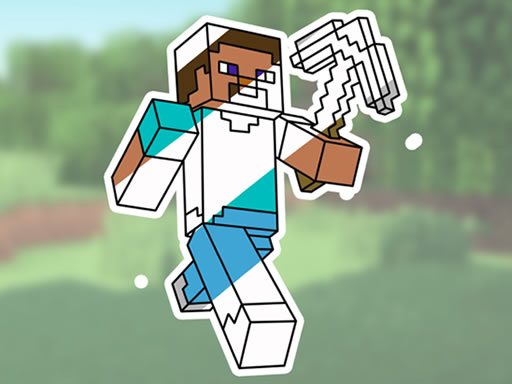
Minecraft Coloring Activity Game offers a relaxing and creative experience for players of all ages. The intuitive paintbrush and color picker tools are easy for children to use. With a variety of images featuring characters, animals, and landscapes, there is plenty of variety. The ability to save and share artwork adds to the fun. This game is a great way to encourage artistic expression in a safe, ad-free environment.
Description
Game Introduction
Minecraft Coloring Activity Game is a digital coloring activity designed for fans of the popular video game. It offers a variety of Minecraft-themed images, including beloved characters, friendly animals, and scenic landscapes. Players can bring these images to life with vibrant colors using an intuitive interface. The game provides a paintbrush and a color picker, making it easy for young players to navigate. Children can experiment with different patterns and textures to create unique designs. This activity enhances artistic skills and promotes a sense of color coordination. It offers hours of entertainment for Minecraft fans of all ages.
How to Play
To start, choose a Minecraft-themed image from the selection. You can pick a character, animal, or landscape. Use the paintbrush tool to apply colors to different areas. The color picker lets you select from a palette of vibrant shades. You can also experiment with patterns and textures to add detail. The controls are simple, making it easy for children to navigate. There are no time limits, so you can color at your own pace. Once finished, you can save or share your artwork with friends and family.
Game Features
Features include a variety of Minecraft-themed images to choose from. Intuitive paintbrush and color picker tools make coloring easy. Options for patterns and textures boost creativity. The game has a simple interface suitable for children. No time limits allow relaxed play. Players can save and share their finished artwork.
Tips for Success
To get the most out of this coloring game, start with simple images to practice using the tools. Experiment with different color combinations to see what looks best. Use patterns and textures to add depth to your artwork. Take your time—there are no time limits, so you can focus on details. Save your finished pieces to track your progress and share them with others.




Comments
Sign in to comment
You must be logged in before posting a review or rating.
No account? Create one
No comments yet. Be the first to comment!